ziviSpaceEcho Complete Manual
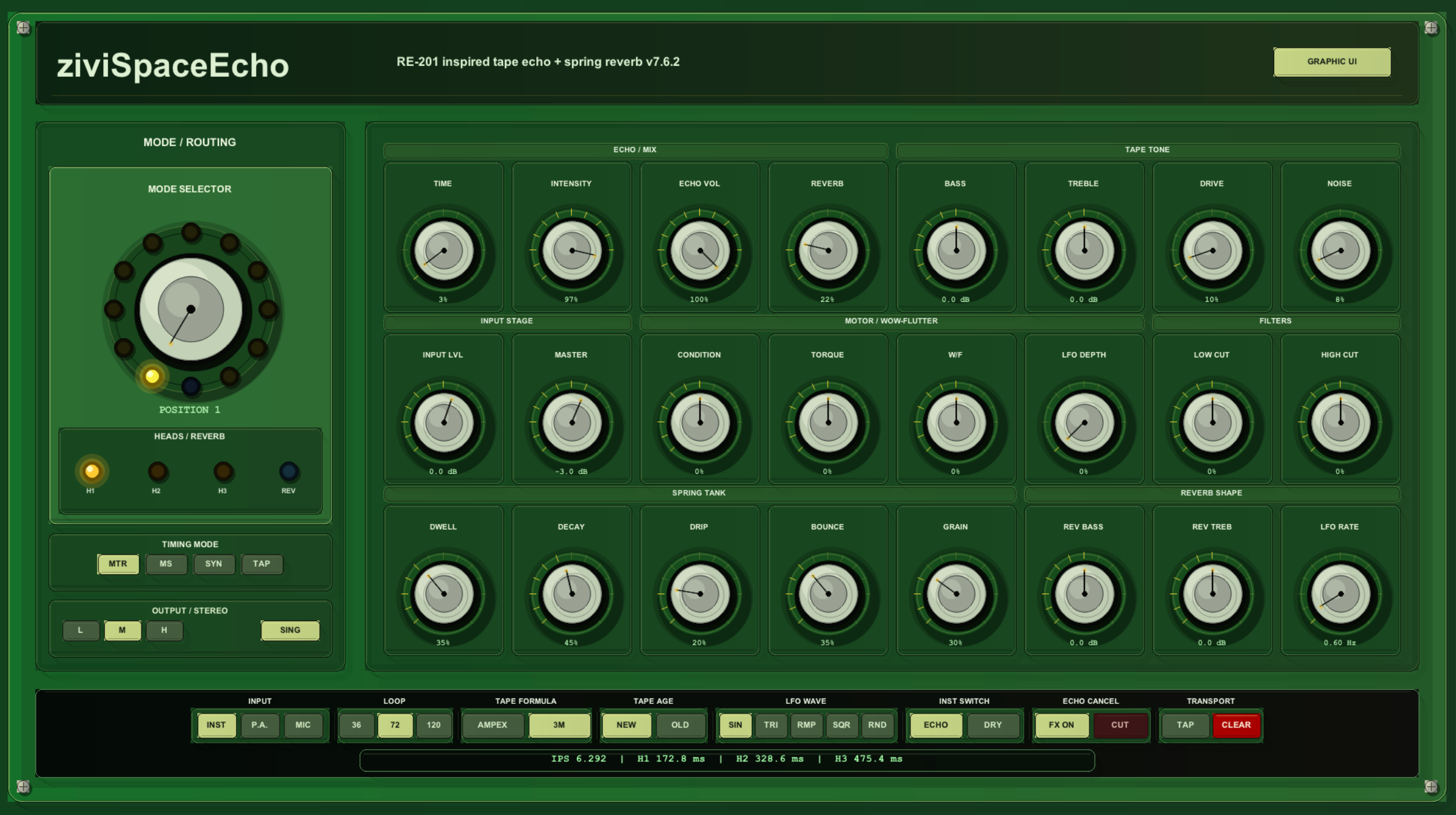
1. Concept
ziviSpaceEcho is a musical tape echo and spring reverb instrument for REAPER.
It follows the workflow of a classic multi-head tape echo unit:
- audio enters a preamp / record stage;
- the signal is written to a virtual moving tape;
- multiple playback heads read the tape at different positions;
- selected heads are mixed according to the mode selector;
- repeats are shaped by tone, filtering, age, drive and feedback behavior;
- a spring reverb branch can run in parallel with the echo.
The goal is not strict component-level emulation. The goal is a playable, expressive and stable tape-delay instrument with the same kind of musical decision space: head selection, motor behavior, tape condition, echo intensity, spring ambience and hands-on cabinet-style control.
2. Signal-flow overview
Input stage
  → preamp / drive
  → virtual tape write path
  → playback heads H1 / H2 / H3
  → echo tone and filtering
  → feedback / intensity
  → echo output

Input stage
  → spring reverb branch
  → reverb tone
  → reverb output

Echo + Reverb
  → stereo/output behavior
  → master level
The exact routing depends on the mode selector and the continuous controls.
3. Interface regions
3.1 Header
The top header identifies the plugin and includes the UI mode button.

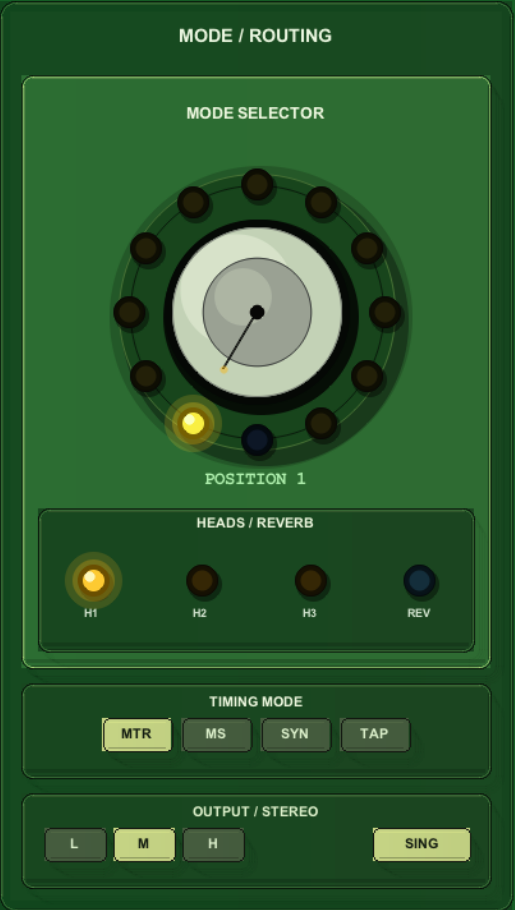
3.2 Mode / Routing
The left section contains:
- 12-position mode selector;
- active head/reverb indicators;
- timing mode selection;
- output and stereo mode controls.
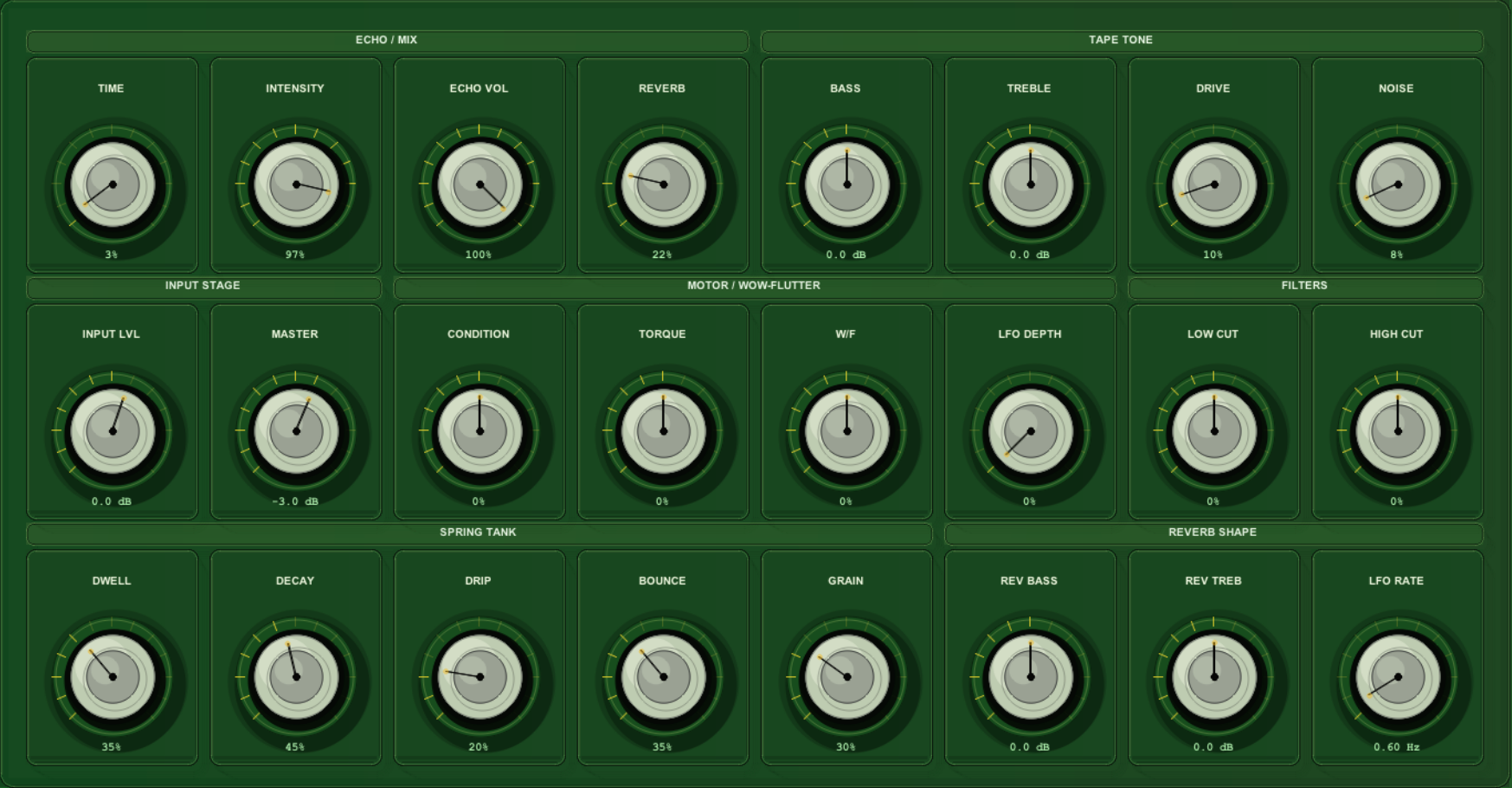
3.3 Main parameter grid
The main grid contains the core continuous parameters:
- Echo / Mix;
- Tape Tone;
- Input Stage;
- Motor / Wow-Flutter;
- Filters;
- Spring Tank;
- Reverb Shape.
3.4 Bottom control strip
The bottom strip contains discrete switches and timing status:

3.5 Mouse-only parameter editor
Click a numeric value below a knob to open the editor.
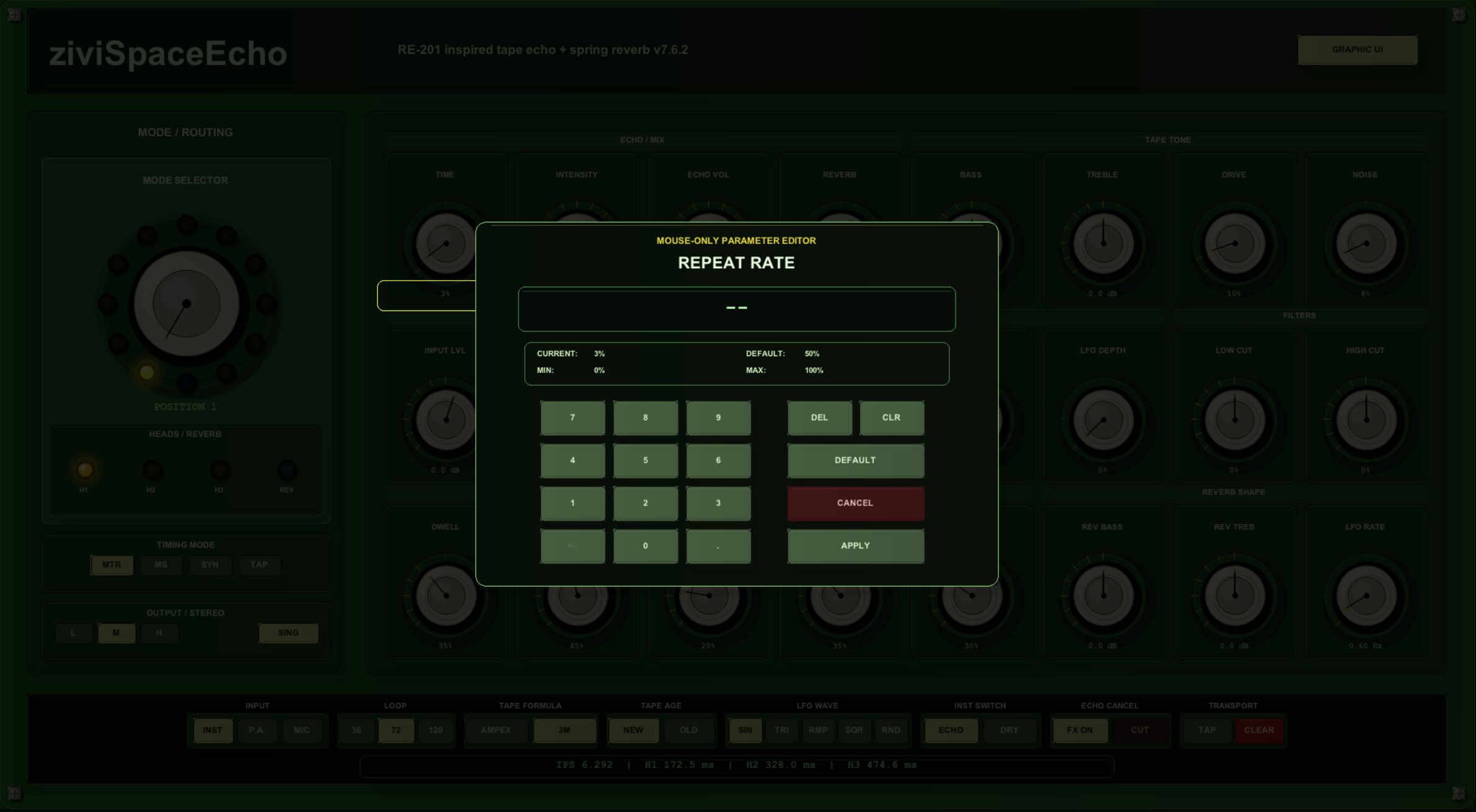
The editor intentionally avoids the hardware keyboard because REAPER may route keyboard shortcuts to the host rather than the JSFX window.
4. Timing modes
| Mode | Best for |
|---|---|
| RE-201 Motor | classic tape echo gestures, speed changes, non-grid rhythmic echoes and dub feedback riding. |
| Manual ms | precise delay design, sound design and matching a specific delay time. |
| Tempo Sync | production work, locked rhythmic patterns and grid-based electronic music. |
| Tap Tempo | live playing, following a piece without calculating BPM and unstable performance timing. |
5. Mode selector
| Position | Label | Meaning |
|---|---|---|
| 1 | H1 | Head 1 only |
| 2 | H2 | Head 2 only |
| 3 | H3 | Head 3 only |
| 4 | H2 + H3 | Heads 2 and 3 |
| 5 | H1 + Rev | Head 1 plus reverb |
| 6 | H2 + Rev | Head 2 plus reverb |
| 7 | H3 + Rev | Head 3 plus reverb |
| 8 | H1 + H2 + Rev | Heads 1 and 2 plus reverb |
| 9 | H2 + H3 + Rev | Heads 2 and 3 plus reverb |
| 10 | H1 + H3 + Rev | Heads 1 and 3 plus reverb |
| 11 | H1 + H2 + H3 + Rev | All heads plus reverb |
| 12 | Reverb Only | Spring reverb only |
Position 12 uses a blue LED to visually separate reverb-only mode from amber echo positions.
6. Recommended starting levels
Intensity: 25–45%
Echo Volume: 35–55%
Reverb Volume: 15–35%
Drive: 5–20%
Noise: 0–12%
Condition: -10 to +20
Master: -6 to -3 dB
Increase Intensity carefully when using longer times or multiple heads.
7. Feedback and safety
Intensity controls feedback/repeat behavior. High values can produce dense, loud or unstable repeats, especially with multiple heads, high echo volume, strong drive and long delay times.
For safe exploration:
- reduce
Masterbefore pushingIntensity; - increase feedback gradually;
- avoid excessive input level when using high drive;
- use
Echo Cancelif the effect becomes too dense.
8. Mouse-only editing workflow
- Click the numeric value below a knob.
- The modal editor opens.
- Enter the target value using the on-screen keypad.
- Click
APPLY.
To reset, click the numeric value and then DEFAULT. To cancel, click CANCEL. DEL removes the last numeric input and CLR clears the current entry.
9. UI mode
The plugin includes a UI mode parameter:
- Graphic Skin;
- Native Controls.
Use native controls if you need standard REAPER automation editing or a fallback UI.
10. Citation
If you use ziviSpaceEcho in artistic, academic, technical or pedagogical work, cite the archived release:
Valentim, Victor Hugo Soares. ziviSpaceEcho. Version 7.6.4. Zenodo. https://doi.org/10.5281/zenodo.21196512
Generative AI assistance is disclosed separately and does not constitute authorship.